Quick Capture
Capture ideas without leaving the work.
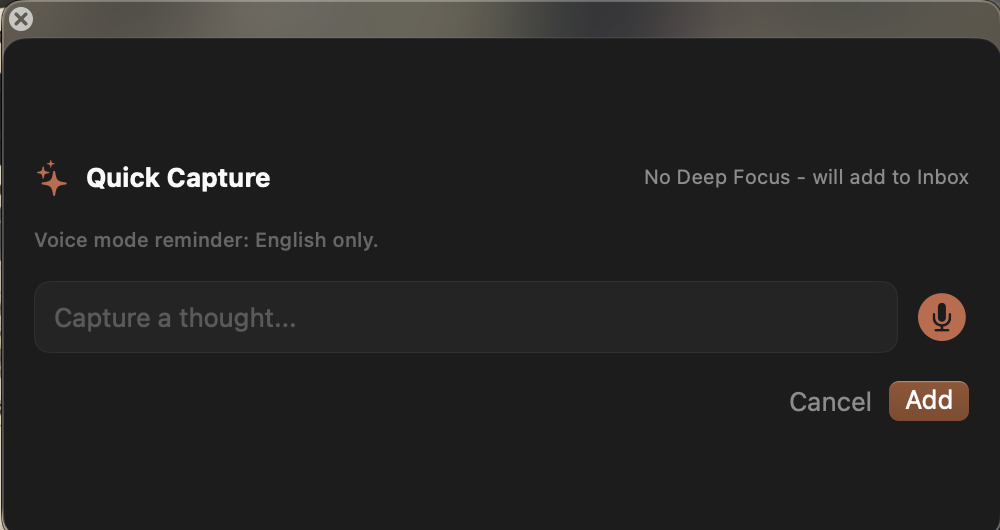
The Quick Capture panel makes a thought fast to enter, with voice capture available and routing shown clearly when no Deep Focus session is active.
Command Shift T
 TodoFocusDownload
TodoFocus turns capture, planning, task context, focus sessions, and daily review into one native macOS workflow. No account. No cloud dependency. No productivity theater.
Open Quick Capture from anywhere and send the thought to Inbox or the active focus task.
Search, filter, and pick from the native task list before the day gets crowded.
Open the links, files, and apps attached to the task in one motion.
Reset overdue work and tomorrow's plan before the day gets noisy.
Product clarity
TodoFocus is not a storage cabinet for obligations. It is a compact loop: catch the thought, pick the right task, launch its context, protect attention, and review what changed.
Quick Capture
The Quick Capture panel makes a thought fast to enter, with voice capture available and routing shown clearly when no Deep Focus session is active.
Deep Focus
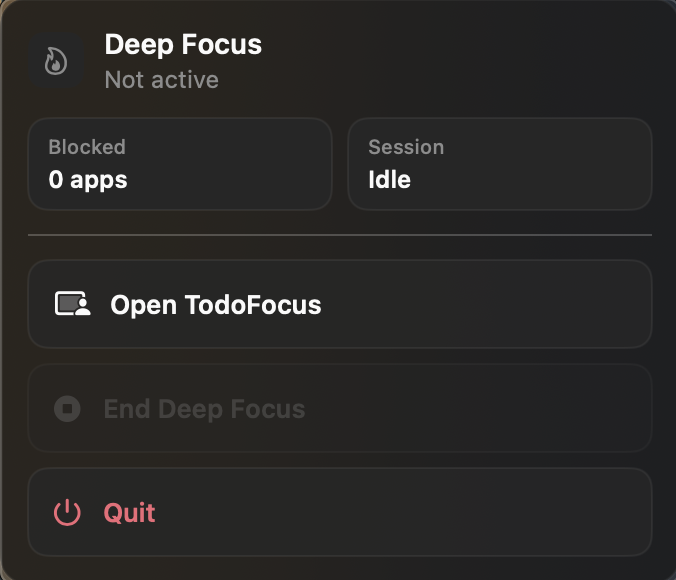
The Deep Focus status panel shows whether a session is active, how many apps are blocked, and gives quick access back into TodoFocus.
Daily Review
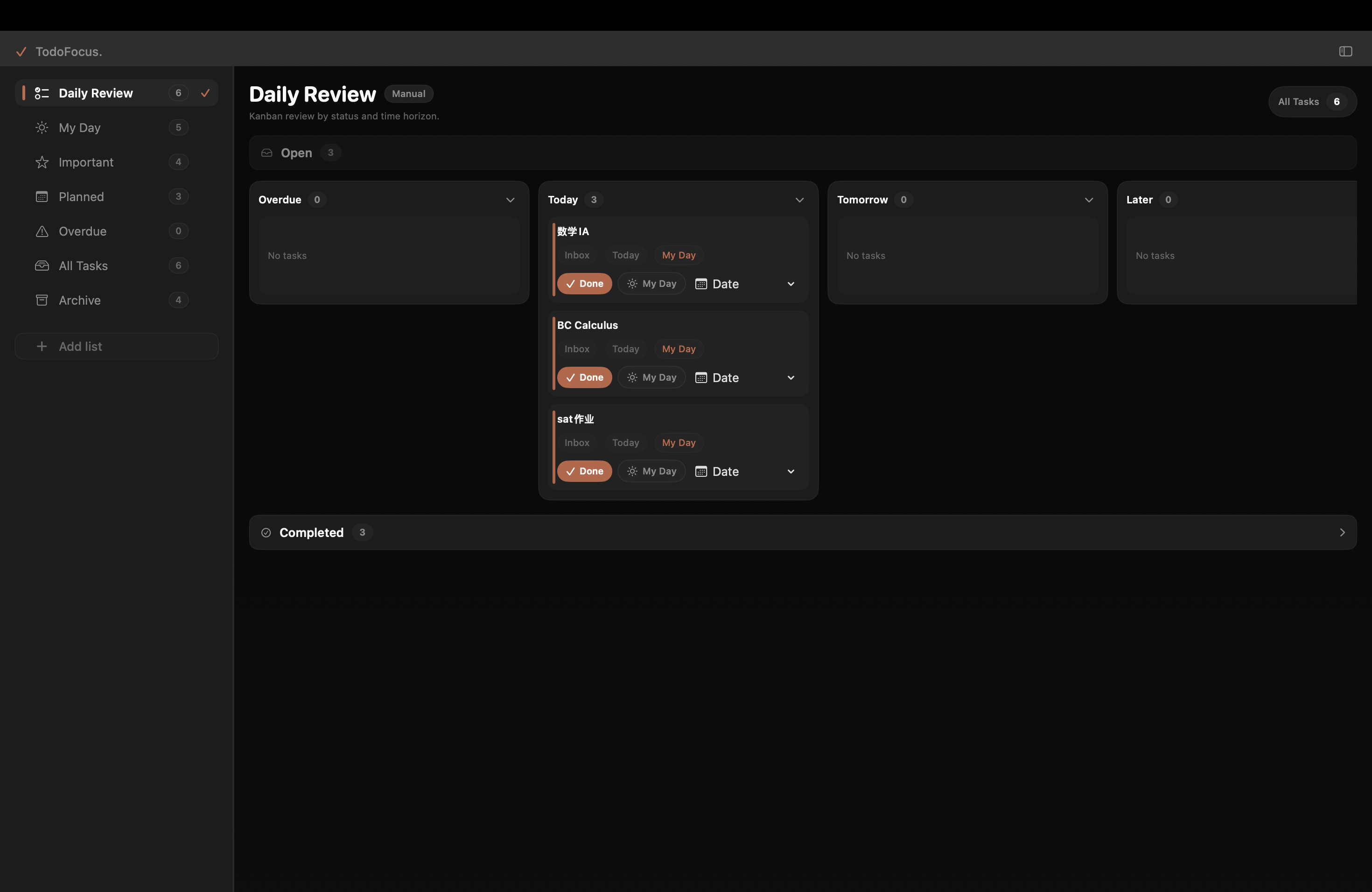
The Daily Review board separates overdue, today, tomorrow, later, and completed work so you can move tasks with a clear sense of status.
Context Launchpad
Add URLs, files, and apps to a task, then launch the whole workspace when you are ready. The task becomes the doorway back into the actual work.
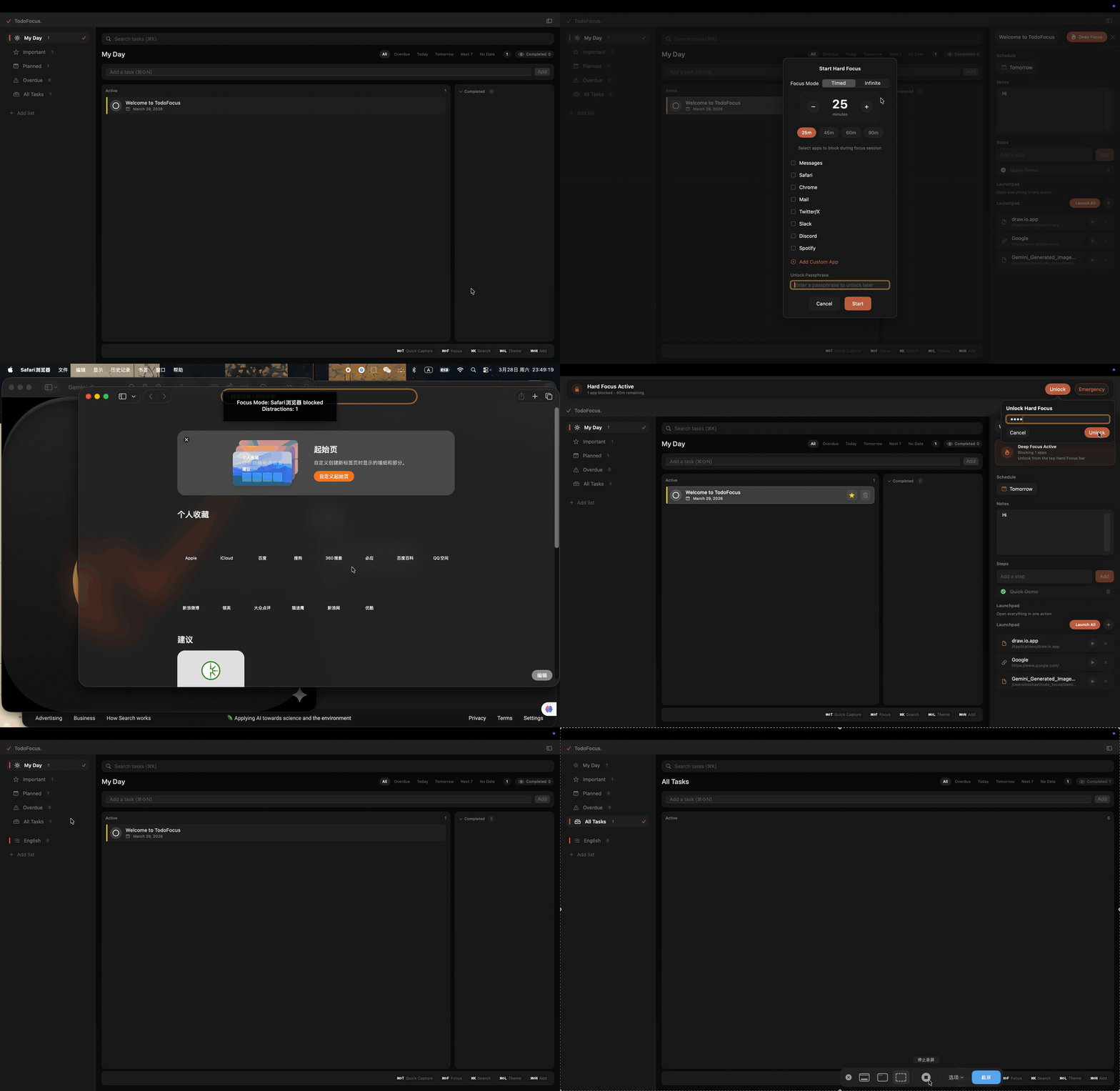
Screenshot gallery
Each view is organized around action: what needs attention, what context belongs to the task, and what can be finished now.
A full-screen review surface for open, overdue, today, tomorrow, later, and completed work.
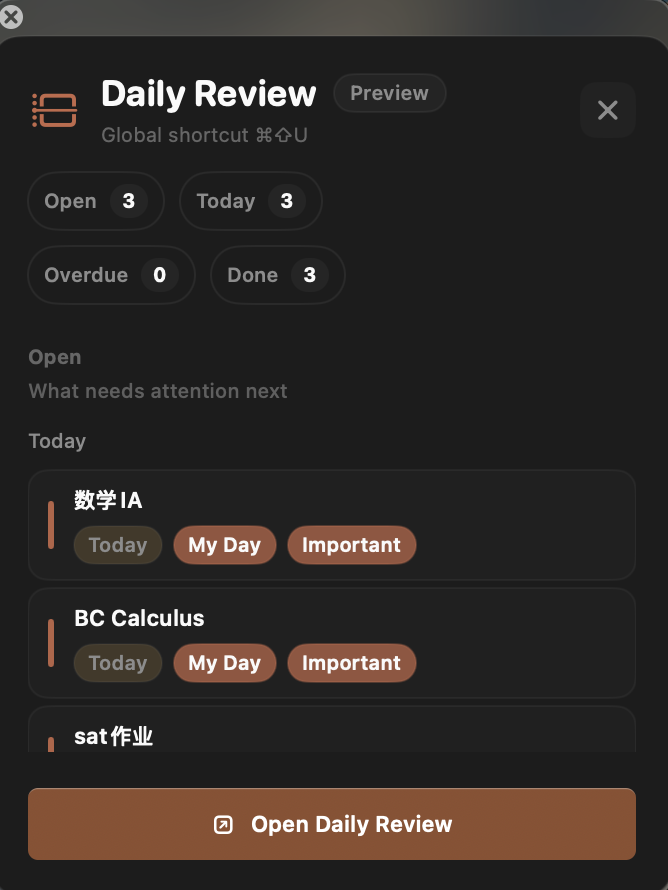
A compact Daily Review preview shows counts and the tasks needing attention next.
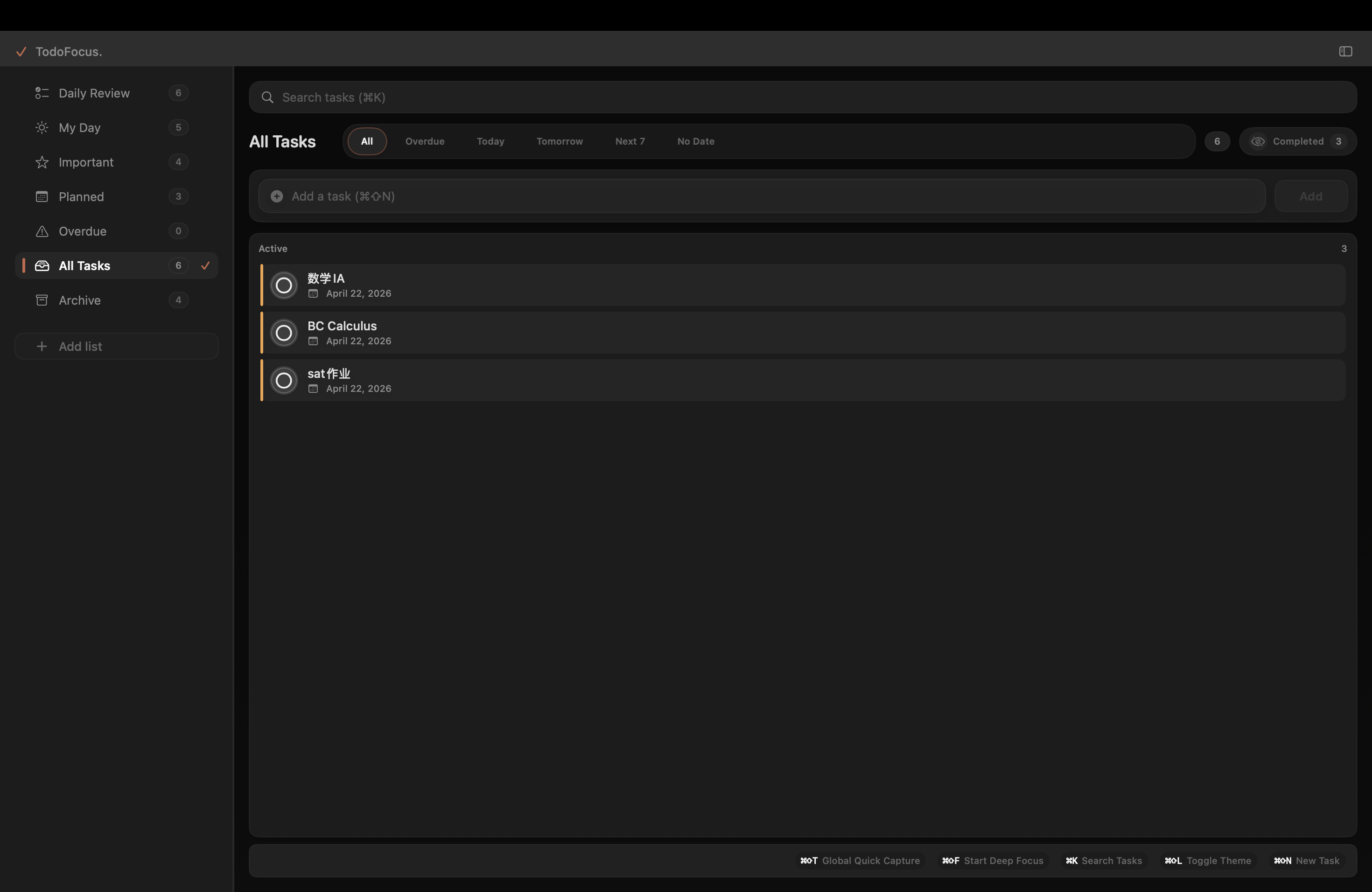
Search, time filters, active tasks, completed visibility, and shortcut hints stay in one calm view.
A focused capture window keeps adding a task lightweight, including microphone capture.
Local-first by default
TodoFocus stores data in local SQLite, works without an account, and keeps portability available through JSON import and export.
Latest release: v1.0.10. Requires macOS 14 Sonoma or later.